Everything Tracker does, from the first conversation to the final invoice.
Most agencies run a system for winning work, another for filling roles and a third for getting paid, then spend their week reconciling the three. Tracker is one platform across all of it. The same candidate, client and placement records carry through every stage, with AI and automation working across the whole of it, so what happens in one part of the business is already visible in the next.
01 · Win work
A client agrees a role
Pipeline, outreach and advertising that turn a prospect into a live job on the system.
02 · Fill roles
A person starts work
Sourcing, screening, submission and onboarding, from shortlist to first day on site.
03 · Run the business
The agency gets paid
Timesheets, invoicing, compliance and the numbers that tell you how the firm is doing.
Platform tour
Watch one job move through the whole platform.
Three minutes, one worked example: a client conversation becomes a job, the job becomes a placement, and the placement becomes an approved timesheet and an invoice, without the record being rebuilt at any point.
01 · Win work
Filling a role is the easy part if you never lost the relationship.
Business development, marketing and advertising run on the same records as delivery, so the client conversation and the job it becomes are one continuous history rather than two systems that disagree.
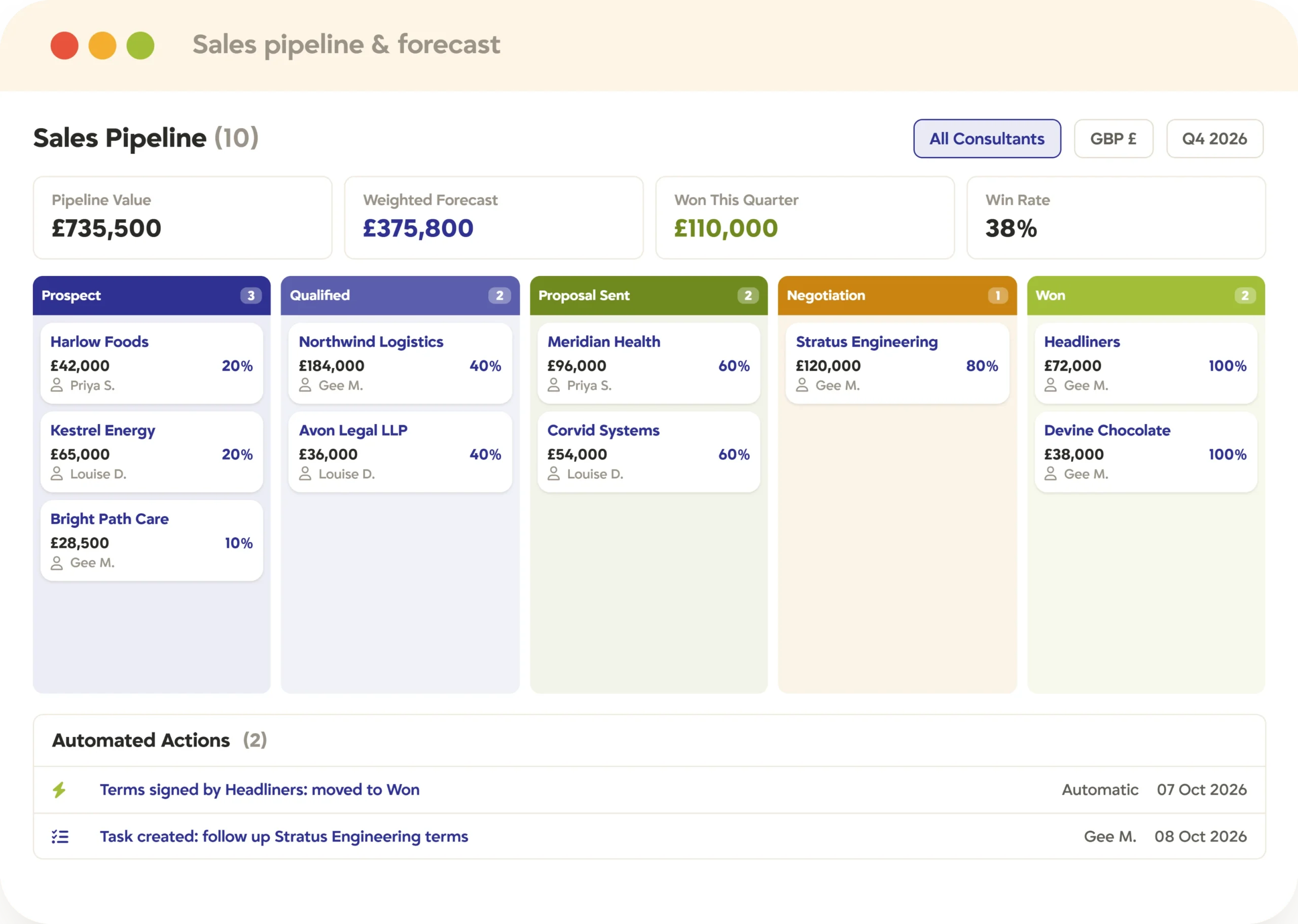
Sales CRM
Client and prospect relationships, pipeline and activity, on the same records your recruiters already use.
Leads, opportunities and deals against the company record
Every call, email and meeting on one timeline
Split desks see the whole account, not their slice
Job orders created straight off the conversation
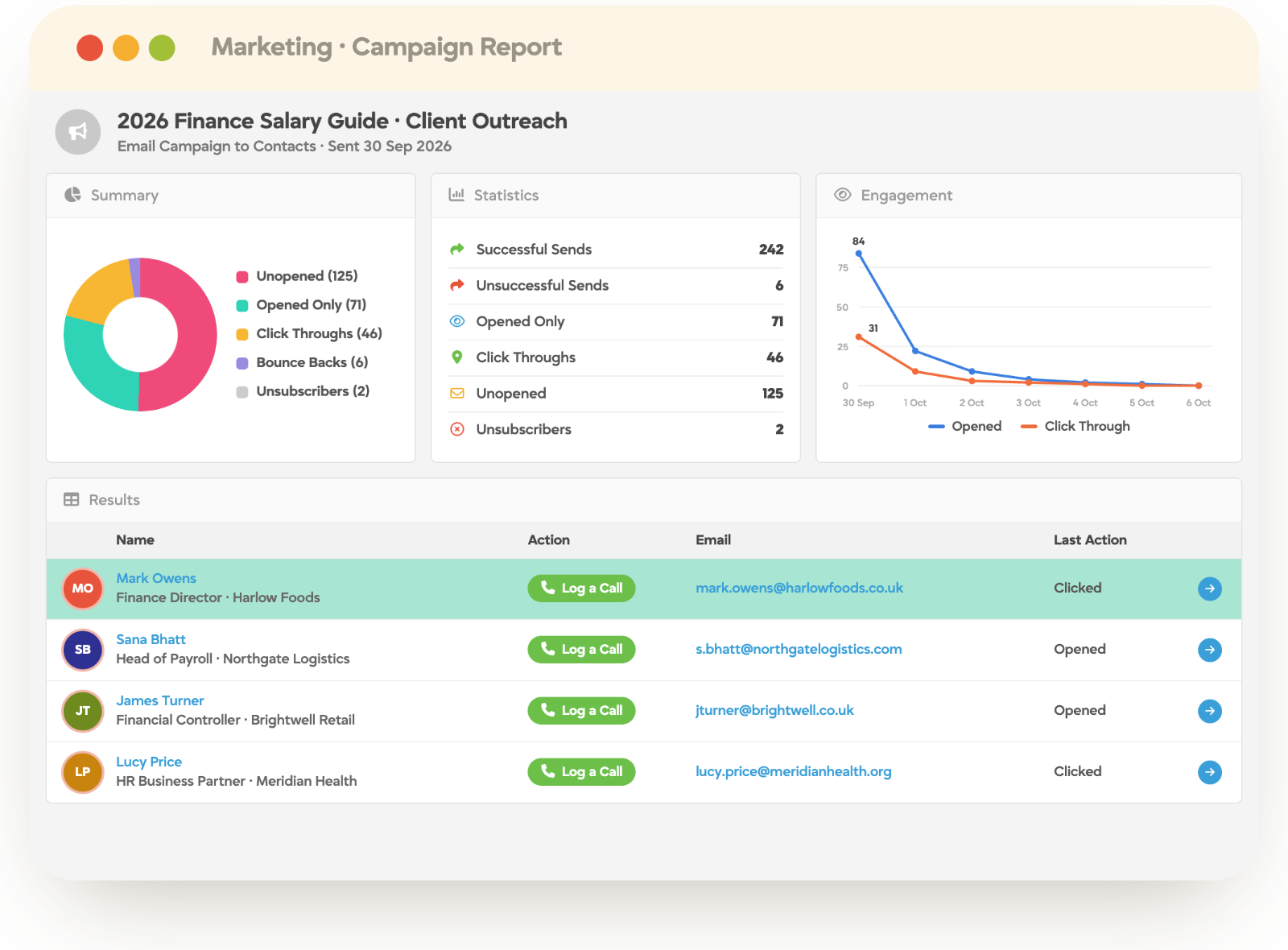
Marketing
Campaigns, sequences and nurture that run off your own data instead of an exported list.
Segment candidates and clients on live record data
Sequences that branch on how people respond
Reactivation of candidates you already own
Every send visible on the record it belongs to
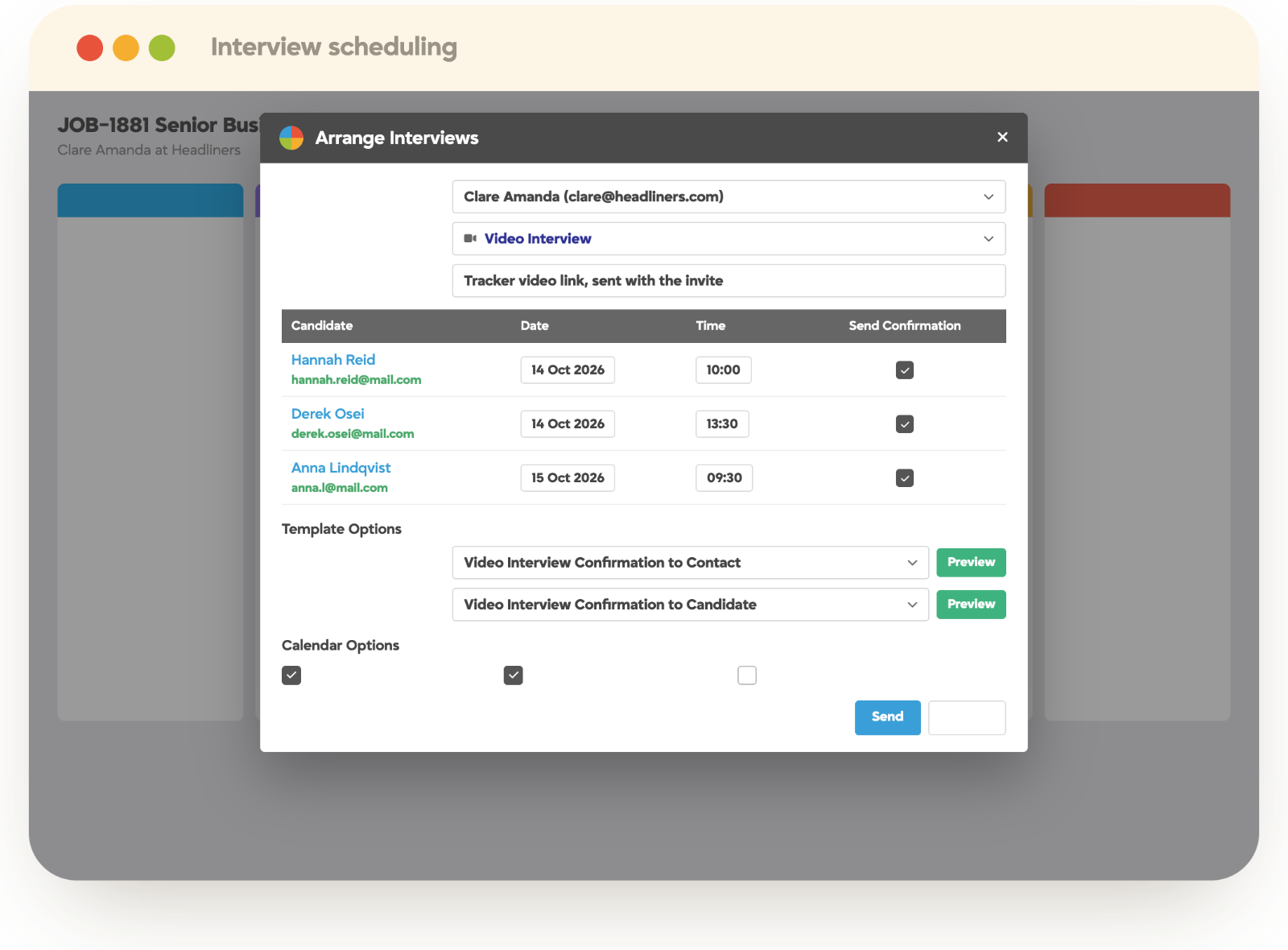
Video & Communications
Video, email, text, internal chat and portals, all writing back to the same conversation.
One-way video interviews and video email
SMS from the record, replies threaded back
TrackerChat and @mentions beside the work
Client and candidate portals for self-service
02 · Fill roles
From a live job to someone starting work on Monday.
The delivery engine: searching, screening, submitting and getting a person compliant and onboarded. AI sits inside this work rather than beside it, and the same records are reachable from a phone between meetings.
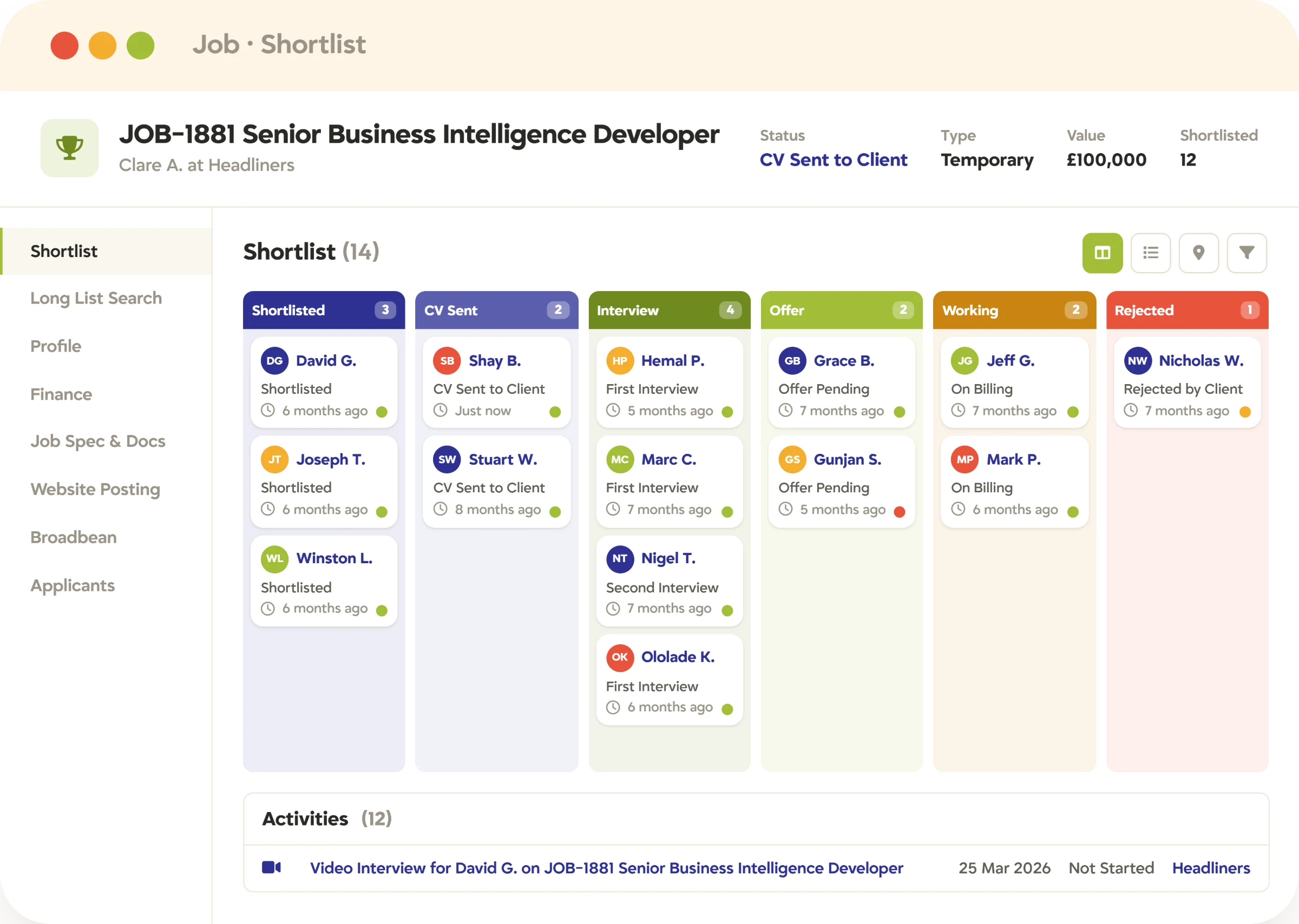
Recruitment ATS
The core of the desk: candidates, jobs, shortlists and placements, in one searchable database.
Resume parsing, semantic search and radius search
Shortlists and stage pipelines per job
Branded submissions and client feedback
Full candidate history, across every job they touched
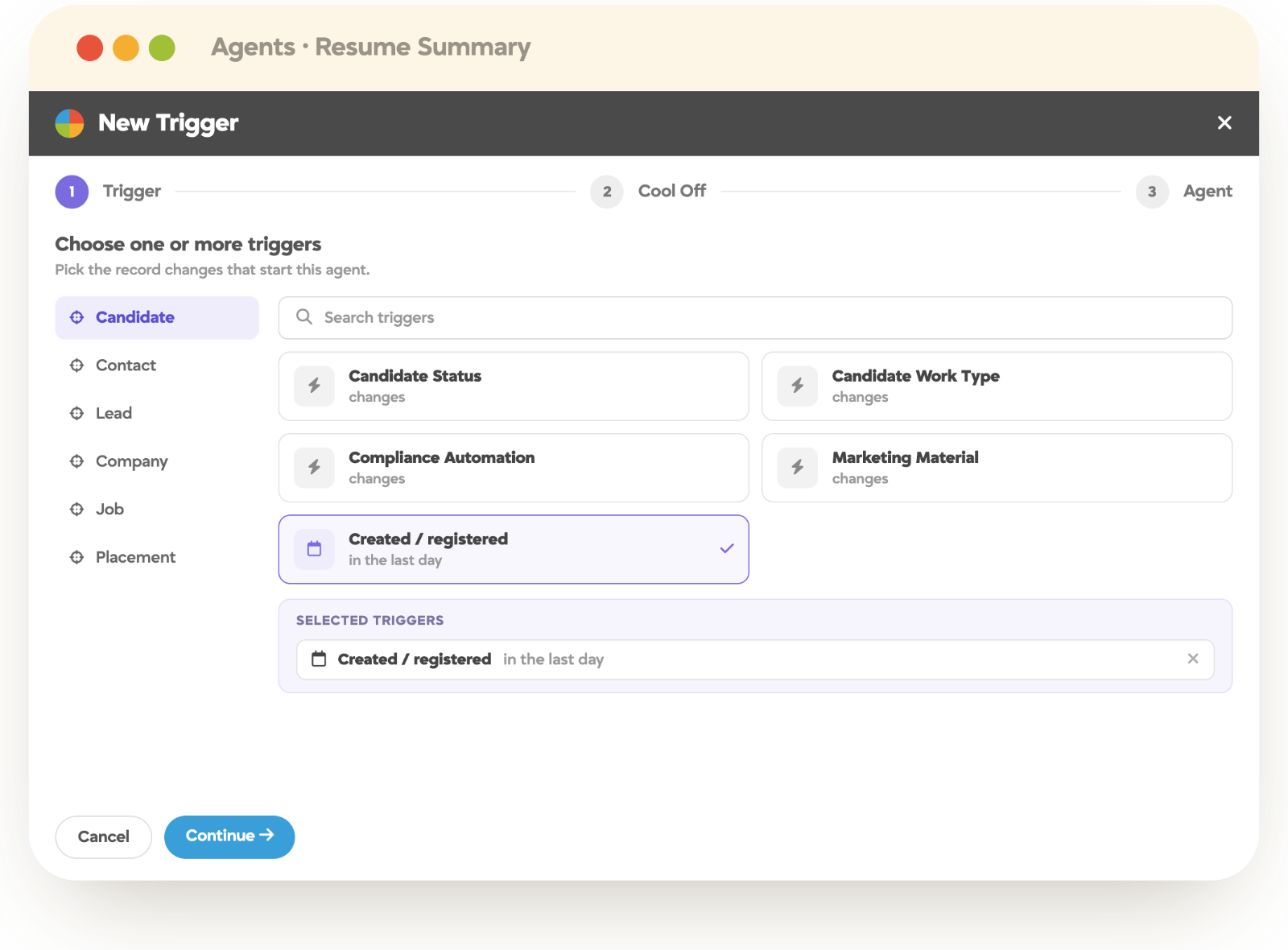
AI (TrackerAI)
Scoring, drafting and background agents, grounded in your own data and governed by your permissions.
Candidates scored against the live job spec
Adverts, summaries and follow-ups drafted from the record
Agents handling background work like email capture
A person always presses send
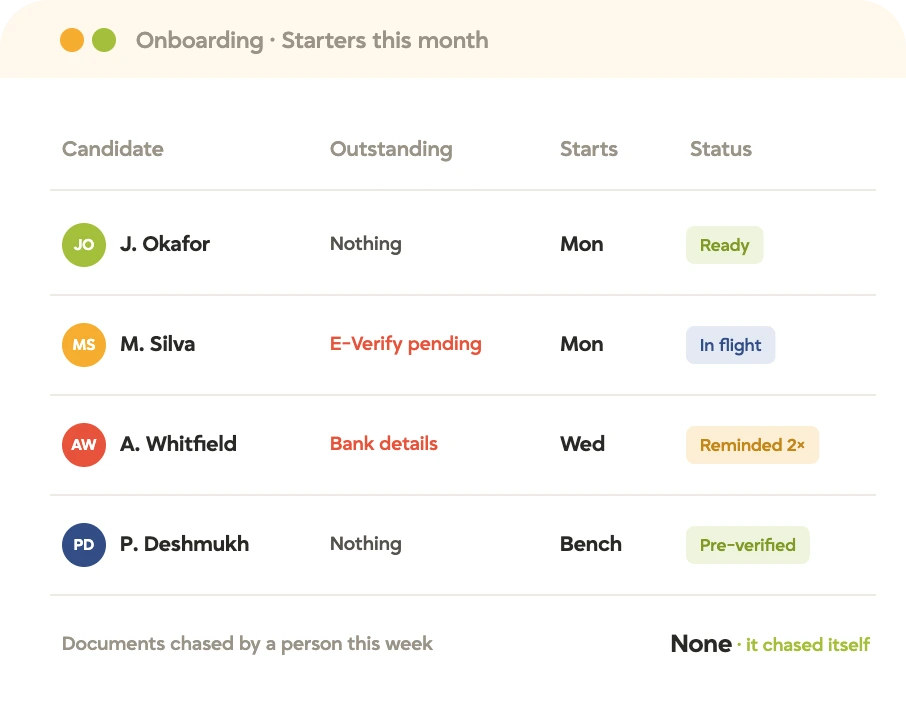
Onboarding
The steps that turn a placement into a start, run as a workflow rather than a chase list.
Documents, contracts and eSignature in one flow
I-9, E-Verify and right-to-work checks
Client and site-specific requirements layered on top
Bank, tax and pay details captured once
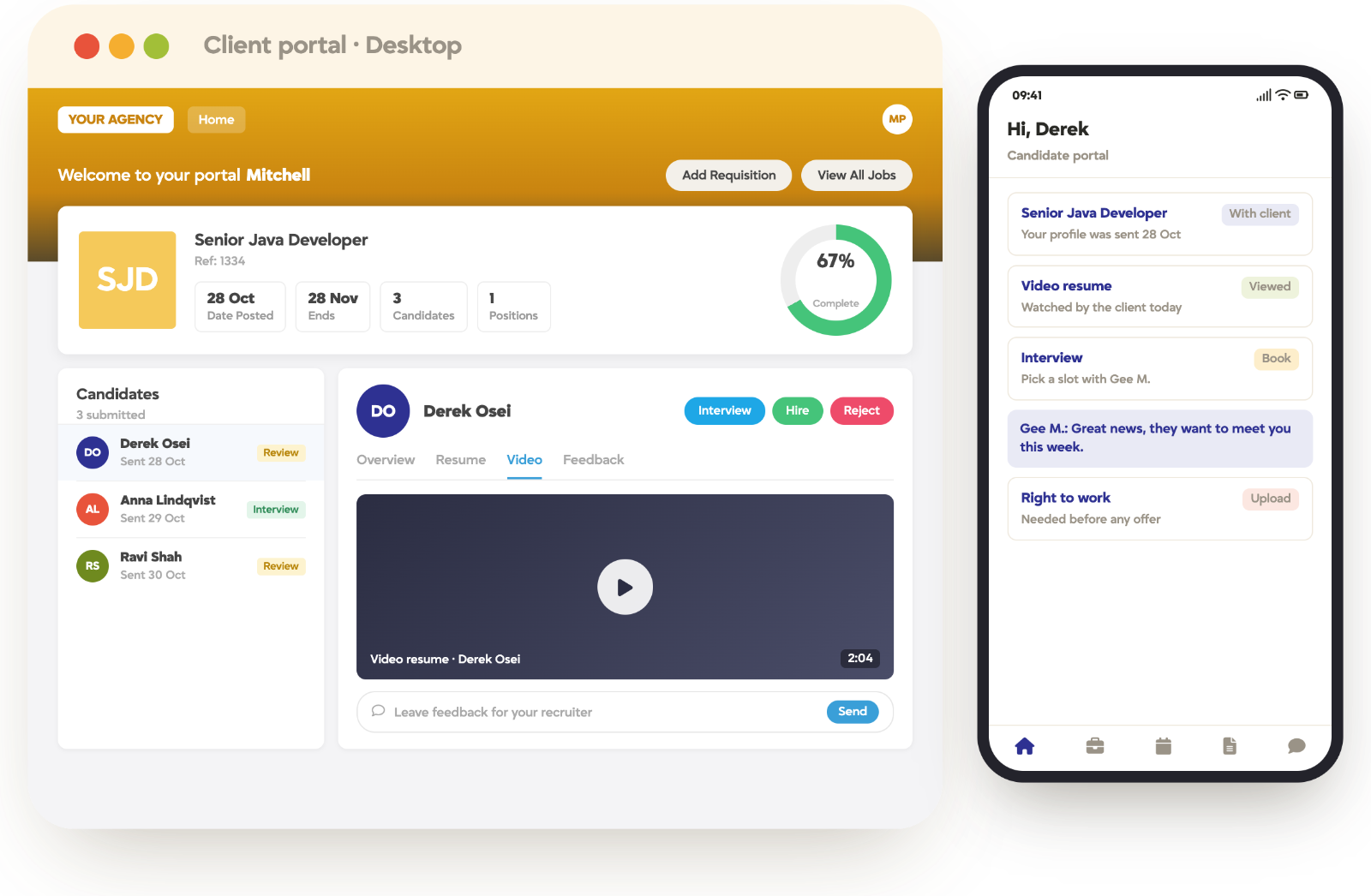
Mobile
Tracker OTM, short for On The Go: the full platform on a phone, plus both portals.
Search, records, calls and notes away from the desk
Client and candidate portals at full functionality
Timesheets submitted and approved from a phone
Same permissions as the desktop
03 · Run the business
The part nobody got into recruitment for.
Timesheets, invoicing, compliance evidence and the numbers behind the week. Because it sits on the same records as delivery, the figures reconcile without anyone rekeying them, and automation carries the repetitive parts.
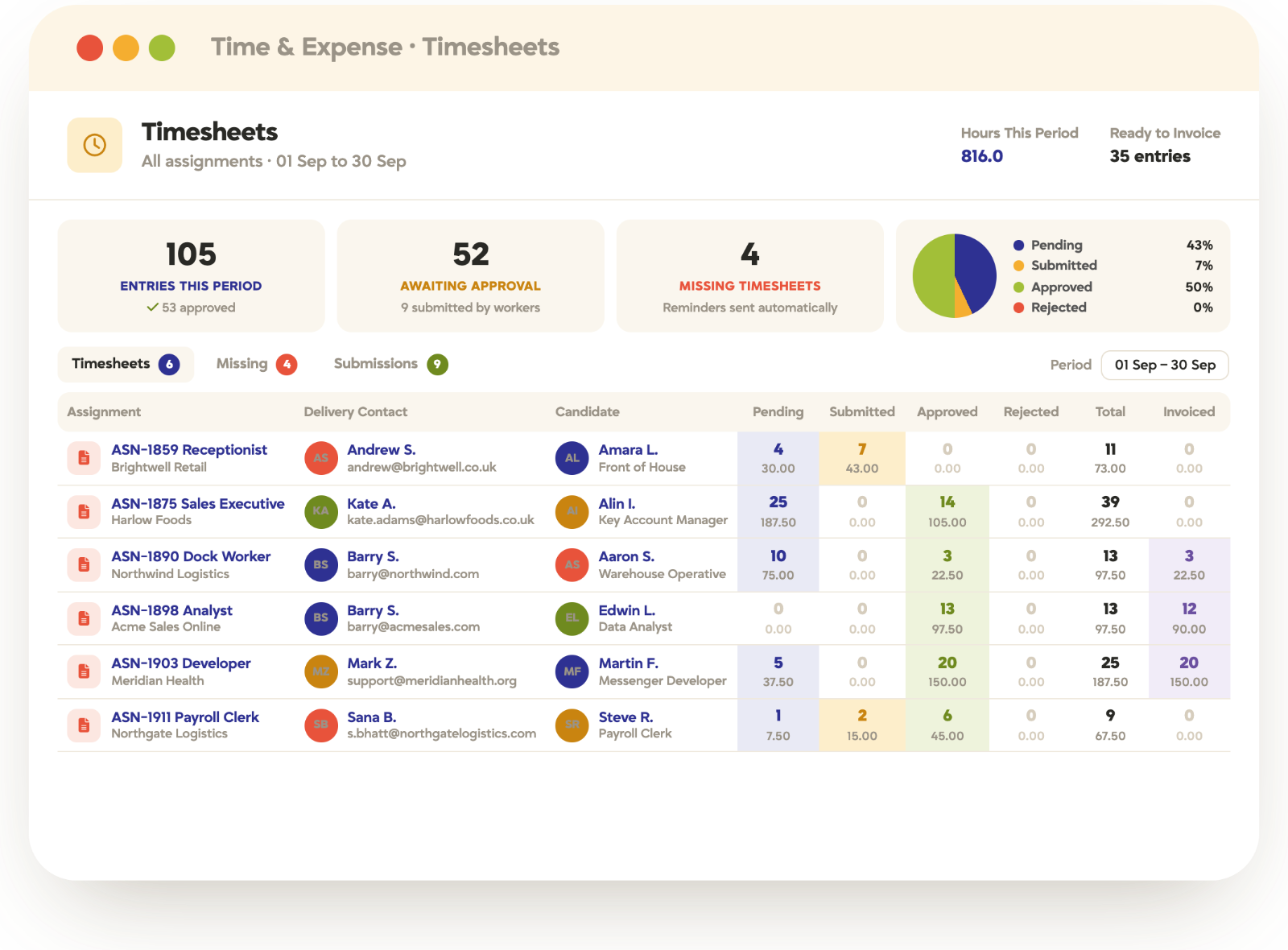
Back Office
Timesheets, expenses, rate cards and invoicing, feeding your payroll provider clean data.
One-click client sign-off on hours
Rate cards by client, shift and worker type
Two-way sync with QuickBooks, Sage and Xero
Margin and invoice aging in plain sight
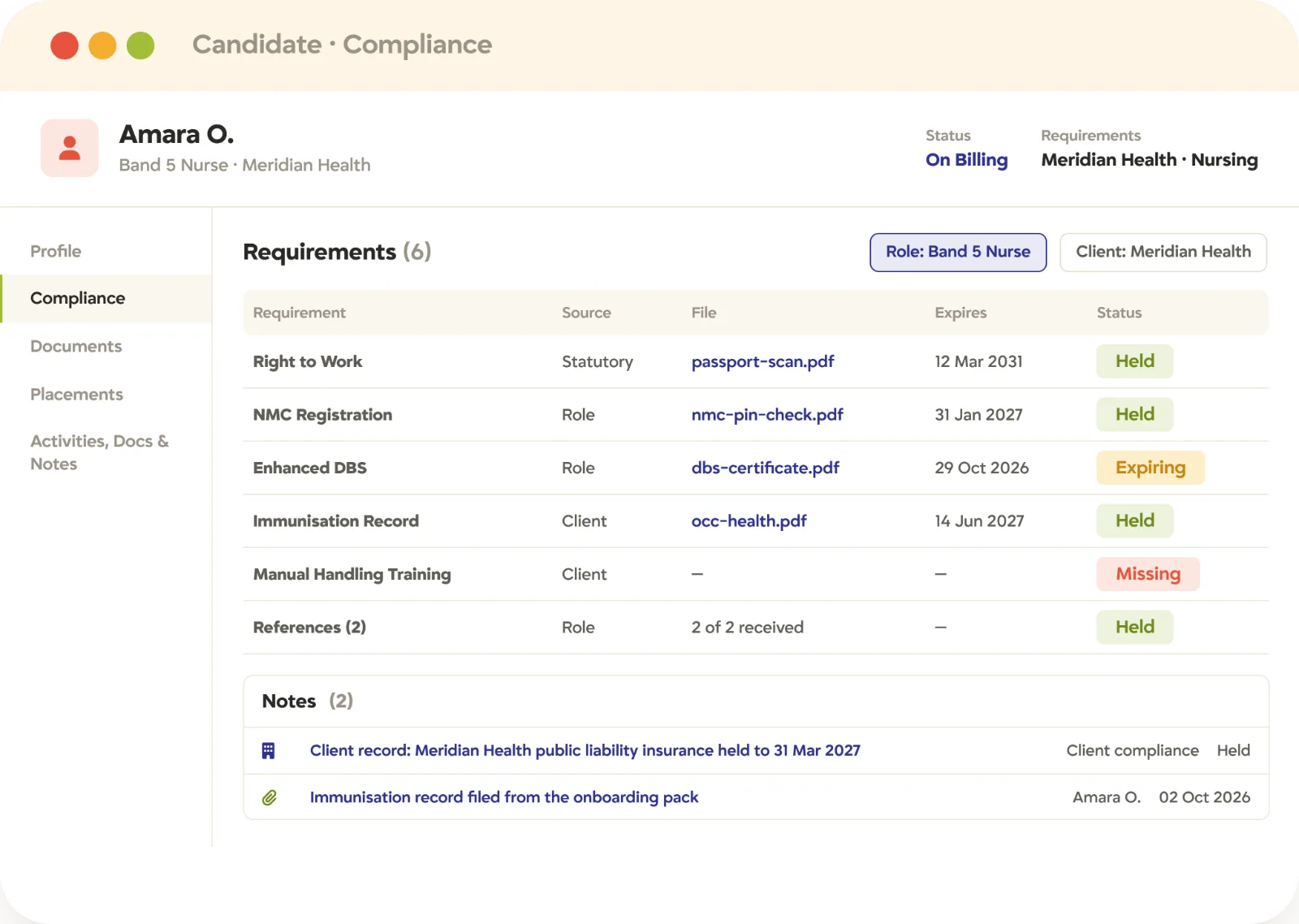
Compliance
Credentials, expiries and evidence held against the record, with progression blocked when something is missing.
Certifications tracked with automated expiry alerts
Requirements that differ by client, role and site
Candidates upload and manage their own documents
An audit answered from the system, not a folder
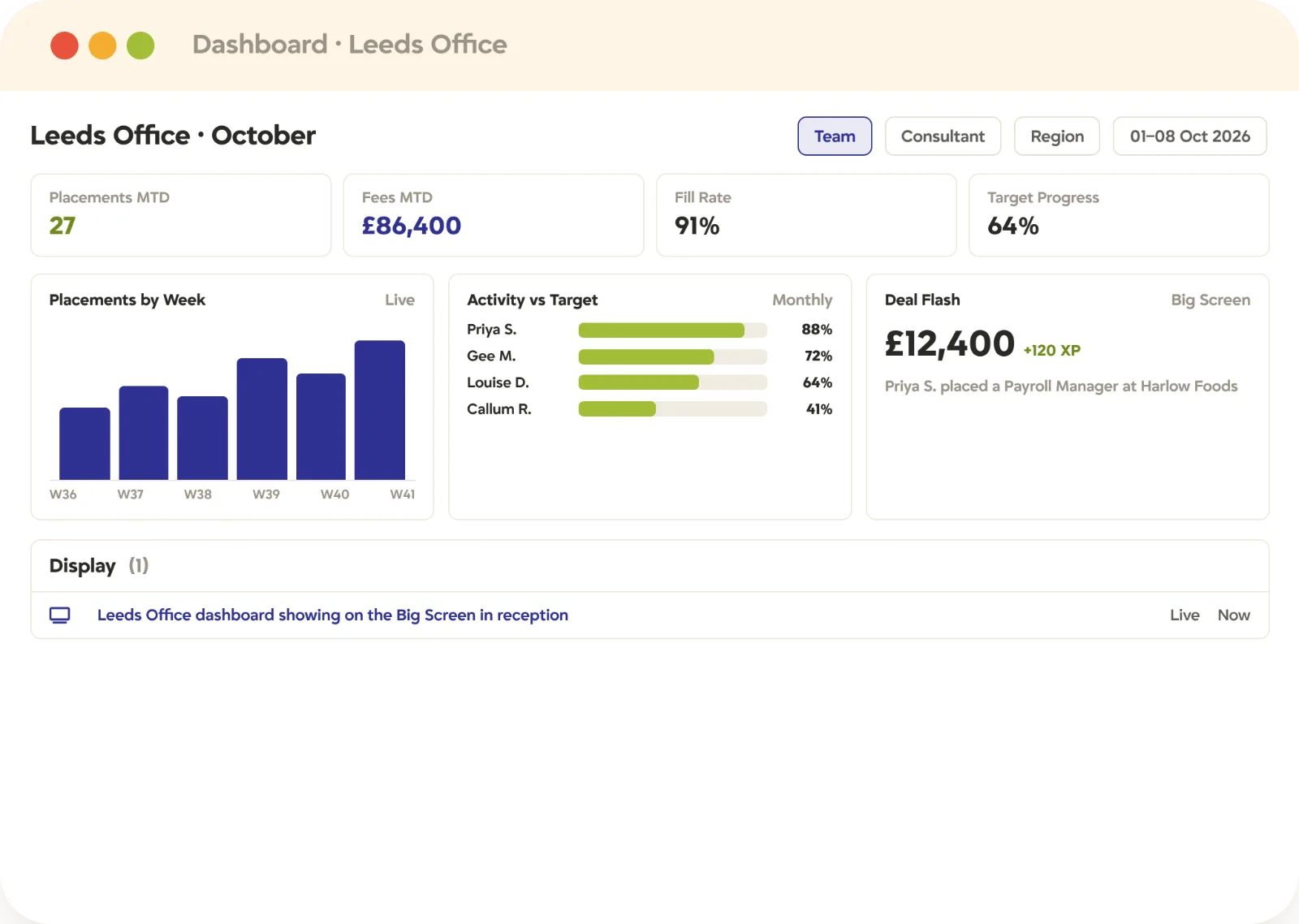
Reporting & Analytics
Dashboards and custom reports built on live records, so the weekly numbers stop being a spreadsheet exercise.
KPI dashboards per desk, team and office
Custom reports your own admins can build
Source tracked from application to placement
Client-facing reporting for reviews and SLAs
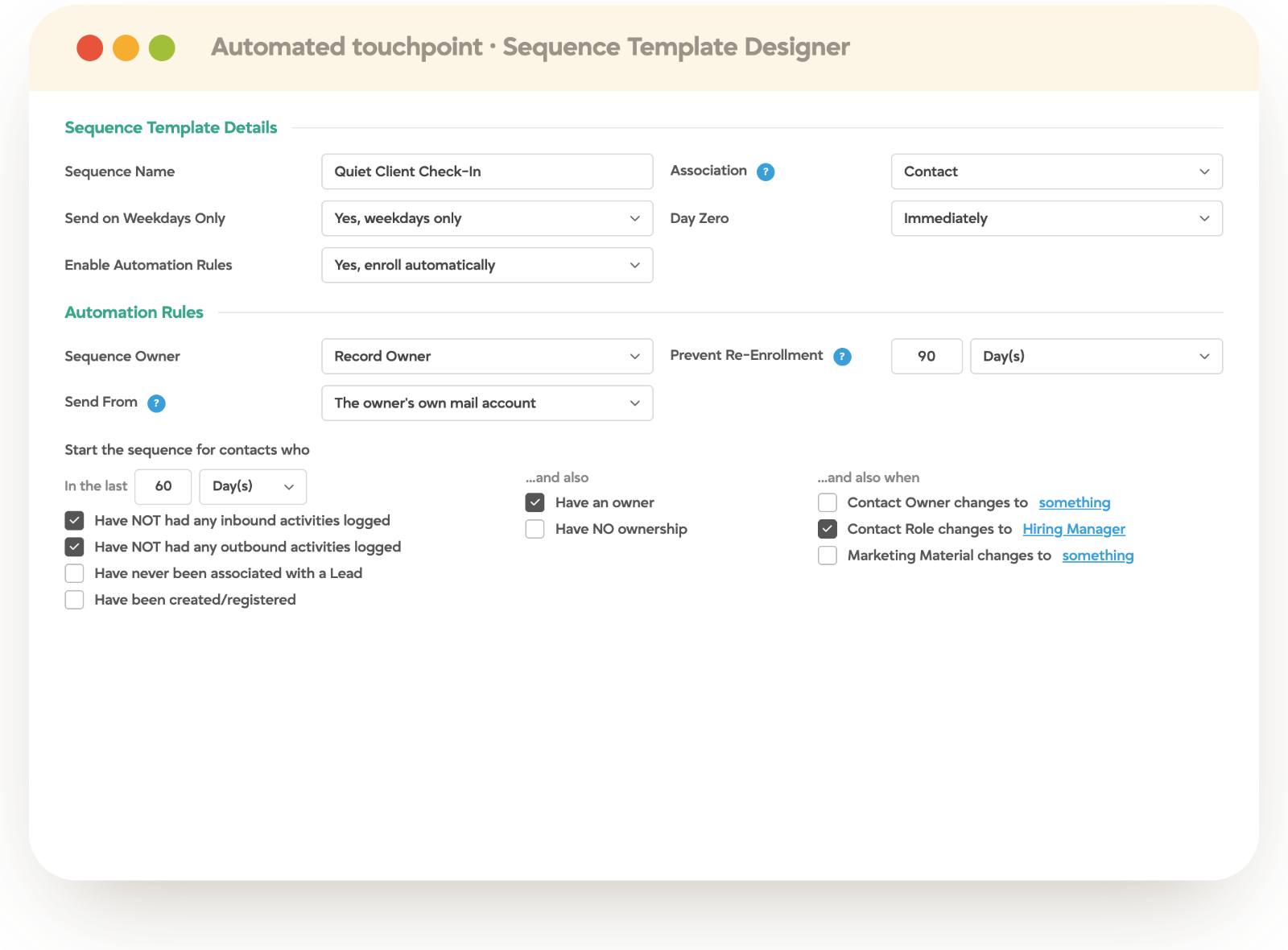
Automation
The rules that fire the follow-up, the reminder and the status change so nobody has to remember them.
Triggers on any record change or date
Tasks assigned and chased automatically
Touchpoints on schedule across the whole desk
Built by your admins, not a release cycle away
Across all three
AI doesn’t sit in one stage. It runs inside all of them.
TrackerAI is not a module bolted to the side of the platform. It reads the same records the rest of Tracker uses, which is why it can score a candidate against a live spec, draft a client update that sounds like your desk, and file an email against the right contact without being told which one.
Scoring
and Content
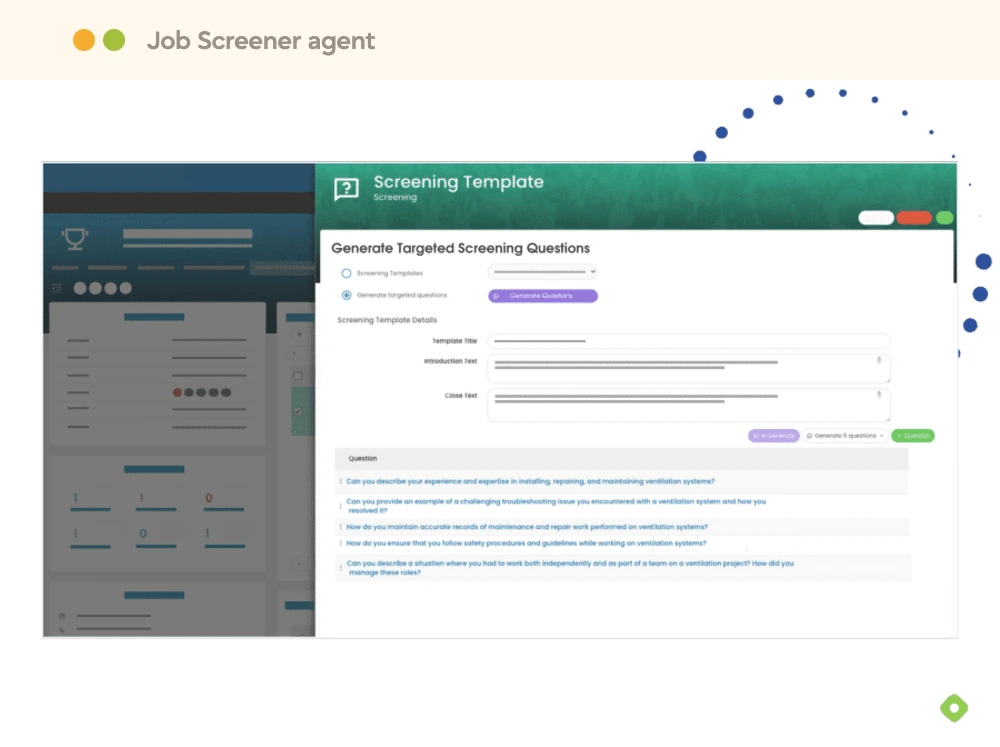
Recruiting is about people, not paperwork. TrackerAI reads the job spec and the candidate record you already hold, then ranks the shortlist and drafts the advert, the summary and the follow-up in your own words.
Candidates scored against the live job spec
Adverts and summaries written from the record
Messages drafted per person, not per template
Background
Work
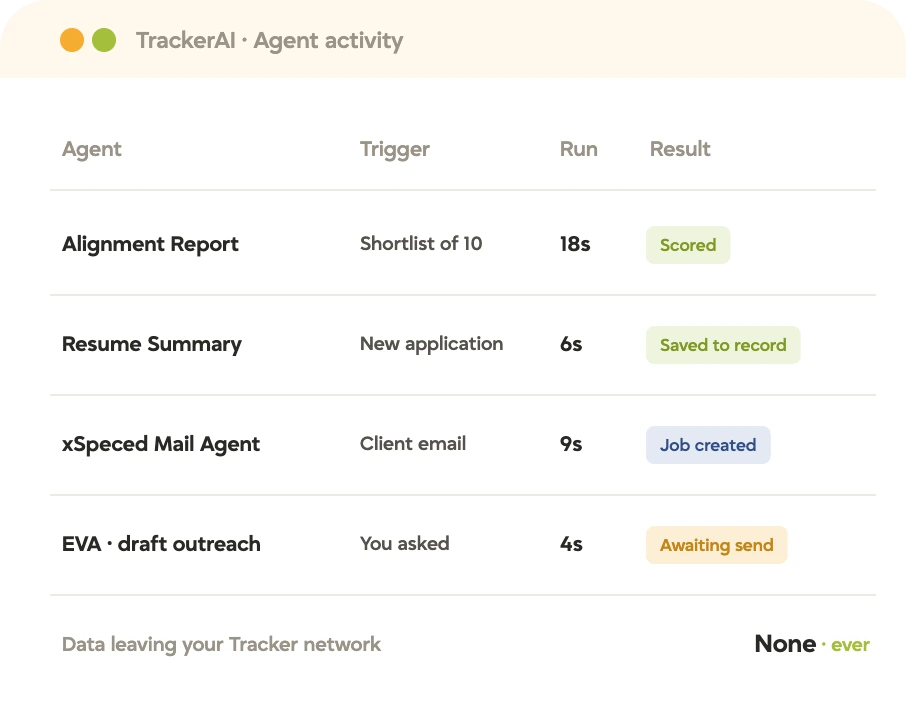
The steps nobody should have to remember. Agents run between the things people do: mail filed against the right contact, records kept current, routine follow-ups completed before anyone opens the desk.
Email captured against the right contact
Records updated without a data-entry pass
Routine steps completed between the ones people do
Ask Your
Own Data
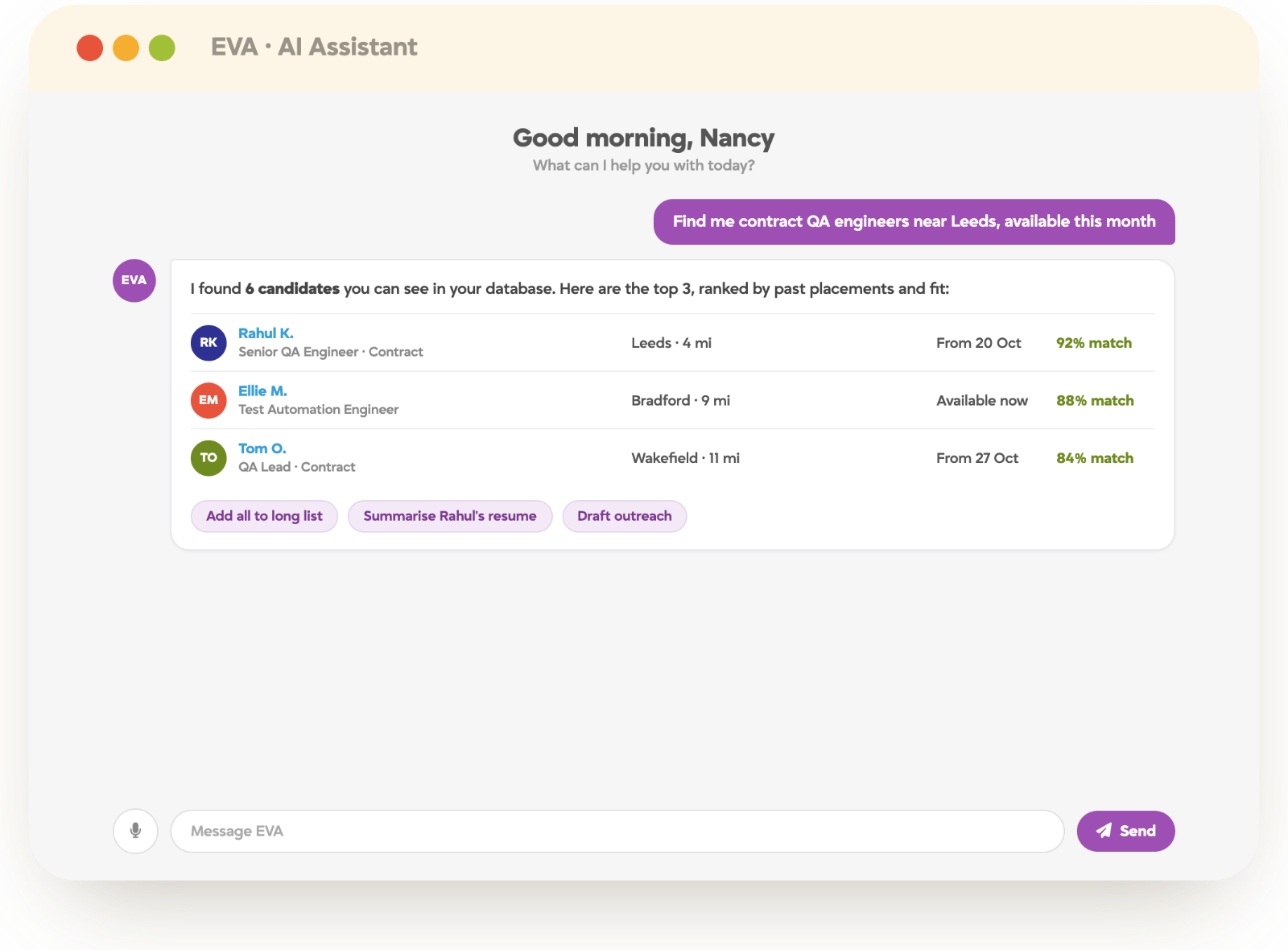
A conversational layer grounded in your actual records. Ask about a desk, a client or a week and the answer comes from the system rather than a report someone has to build first.
Answers drawn from live records, not a snapshot
Respects the permissions the user already has
No report request, no waiting on an analyst
All three operate inside a guardrails framework built for compliance: AI respects the same permissions your users have, it cannot change record ownership, and a person approves anything that leaves the building.
Solutions
The same platform, configured for the desk you actually run.
What a healthcare compliance team needs from Tracker is not what an executive search firm needs. The records and the products are the same; the workflows, fields, screening steps and reports are set up for the work in front of you.
Industrial
High-volume shift work, site-specific requirements and same-day fills.
Industrial staffingAdmin & Commercial
Office and clerical desks working at pace across many small clients.
Admin staffingHealthcare
Credentials, licences and expiries enforced before anyone is placed on shift.
Healthcare staffingIT & Technology
Skills-led search, contractor rates and a candidate market that moves weekly.
IT & tech staffingFinance & Accounting
Qualification tracking, interim cover and seasonal demand around period end.
Finance & accountingMulti-Vertical
Several brands or divisions on one system, each with its own workflow and reporting.
Multi-vertical firmsBy placement type
How the work is billed.
Temp Placement
Shifts, availability and weekly pay and bill, filled in hours rather than weeks.
Temp staffingContract Placement
Long assignments, extensions, timesheet approval and margin held per contract.
Contract staffingTemp-to-Perm
One record that survives conversion, with the fee and the hours both accounted for.
Temp-to-permDirect Hire & Perm
Search, submission, offer management and fee invoicing on a single pipeline.
Direct hireExecutive Search
Long mandates, mapped markets and confidential candidate handling.
Executive searchOpen by design
And it connects to the rest of your stack.
Job boards, accounting, payroll, screening, e-signature and communication tools, plus a REST API and webhooks for anything not on the list.















See it for yourself
See the whole desk in thirty minutes.
Tell us where your week goes and we will walk the same work through Tracker, from the client conversation to the invoice, on one set of records.
FAQ
Platform questions, answered.
No. Agencies typically start with the ATS and CRM and add back office, compliance or onboarding as the contract side of the business grows. What you switch on is governed by your plan, and the records stay the same underneath.
The records. One candidate, contact, company, job and placement, with a single activity timeline. That is why a timesheet knows its rate card, and why a client’s history does not reset when the desk changes hands.
Inside the work rather than as a separate module. TrackerAI scores candidates, drafts content and runs background agents, using your own data and respecting your permissions, with a person approving anything that goes out.
Both. Permanent desks live mostly in the first two stages; temp and contract desks lean heavily on the third, where timesheets, shift management, compliance and pay and bill sit.
No. Tracker prepares and feeds the data to your payroll provider, bureau or umbrella company, and syncs with accounting platforms such as QuickBooks, Sage and Xero. See back office.
It depends on the scope and how clean the data is. Firms moving the whole desk across, including back office, plan for a phased rollout; teams adopting the ATS and CRM first move faster. Implementation is run with your team rather than handed over.
Yes. There are native integrations across job boards, accounting, payroll, screening, e-signature and communications, plus a REST API and webhooks for anything bespoke. See integrations.
Core covers the AI content suite, client portal and mobile app; Professional adds advanced automation, custom reporting and compliance; Enterprise adds back office, case management and geo-fencing.