Product Updates
What’s new
in Tracker.
Better every two weeks.
We ship new features and improvements twice a month, so your team gets better tools without waiting for a big quarterly update. Click any feature to see how it works in our academy.
Latest features
Always improving, always personal.
See every update in the AcademyNatural Language Reporting
Ask for the report, get it in seconds
Type or say what you want to know and Tracker builds the report for you, with no fields, groupings, or filters to set up. Rank users by jobs open, compare this year with last, or see revenue by client, then keep the reports you use every week.
Tracker Professional and Enterprise only
Read in the Academy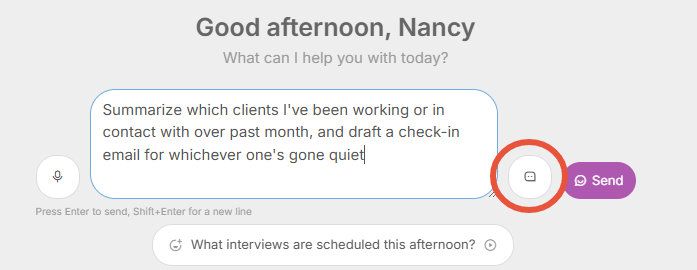
EVA, your AI assistant
Ask in plain language, right on the record
EVA lives inside Tracker, on the record you’re already working. Type or talk to her in plain language from the side panel on any record or the full chat window, and save the prompts you use most so they’re one click away.
All users
Learn about EVA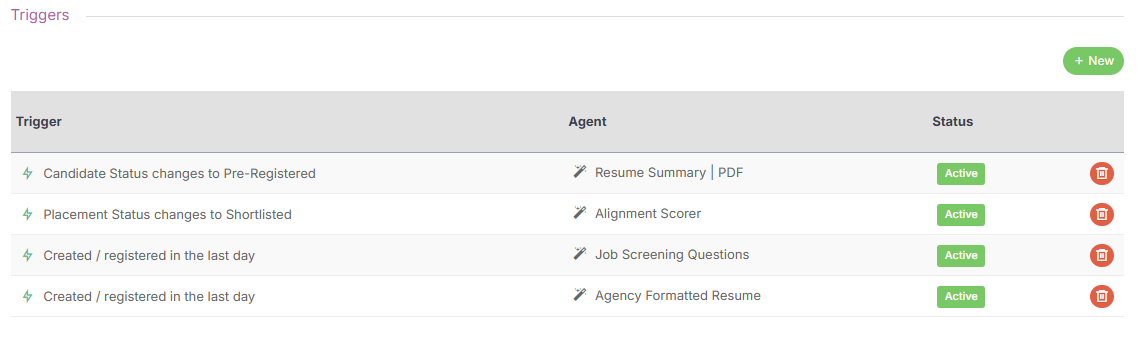
Agentic
Hand off the work, get back the result
Agents run on their own in the background while you keep working. Score candidate alignment, screen applicants, scrub and summarize CVs, and handle mail, triggered automatically or run whenever you need them.
Tracker Professional and Enterprise only
Explore Agentic in the AcademyDynamic Rates
Pay and bill rates that work themselves out
Set your pay and bill rules once, by time of day, day of the week, overtime thresholds, or time on assignment. Candidates just clock in and out, and Tracker works out the right rate for every shift, applied at placement level.
Tracker Professional and Enterprise only
Read in the Academy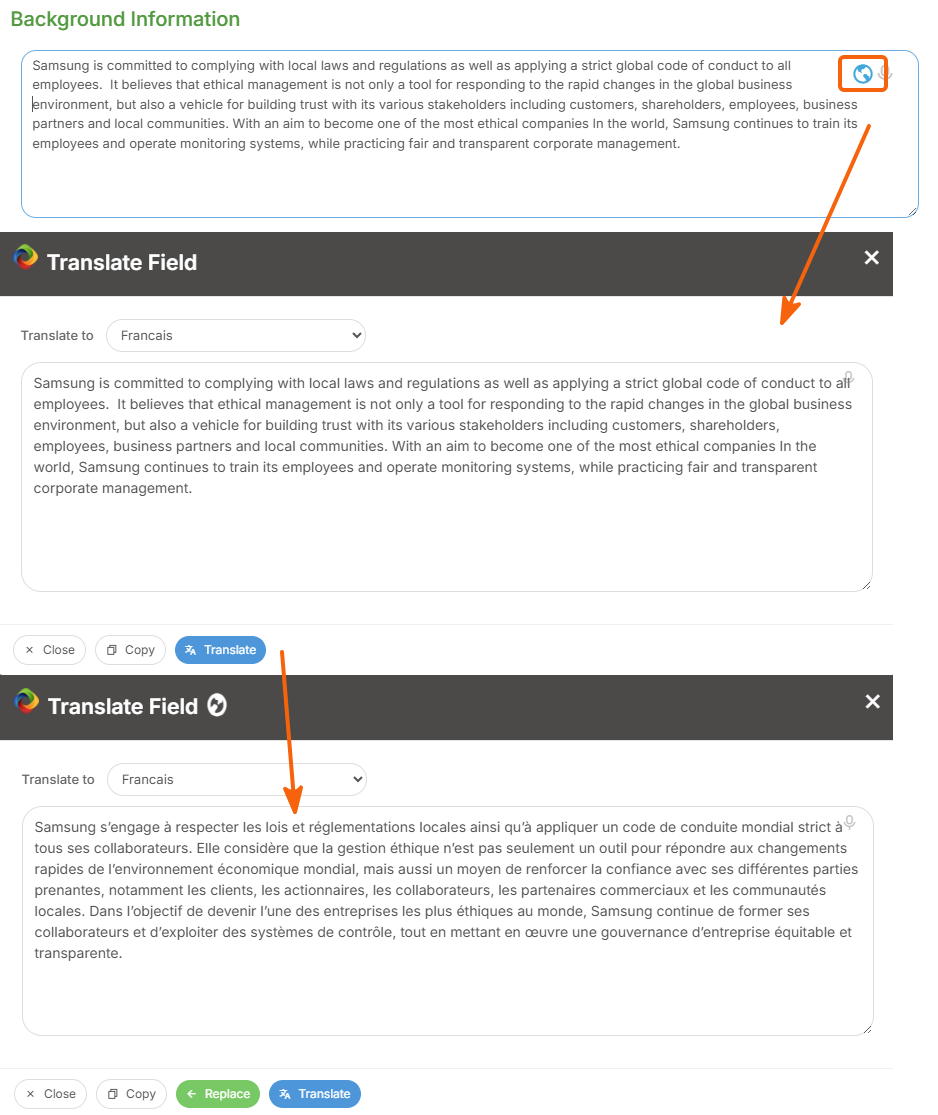
Multi Language Support
Tracker in French, translated in place
French translations across the platform, the first phase of the multi-language rollout. Admins translate naming conventions, custom field labels, and tab names, and each user picks their own display language. A globe icon on any full-width text field translates its content in place.
All users
Read in the Academy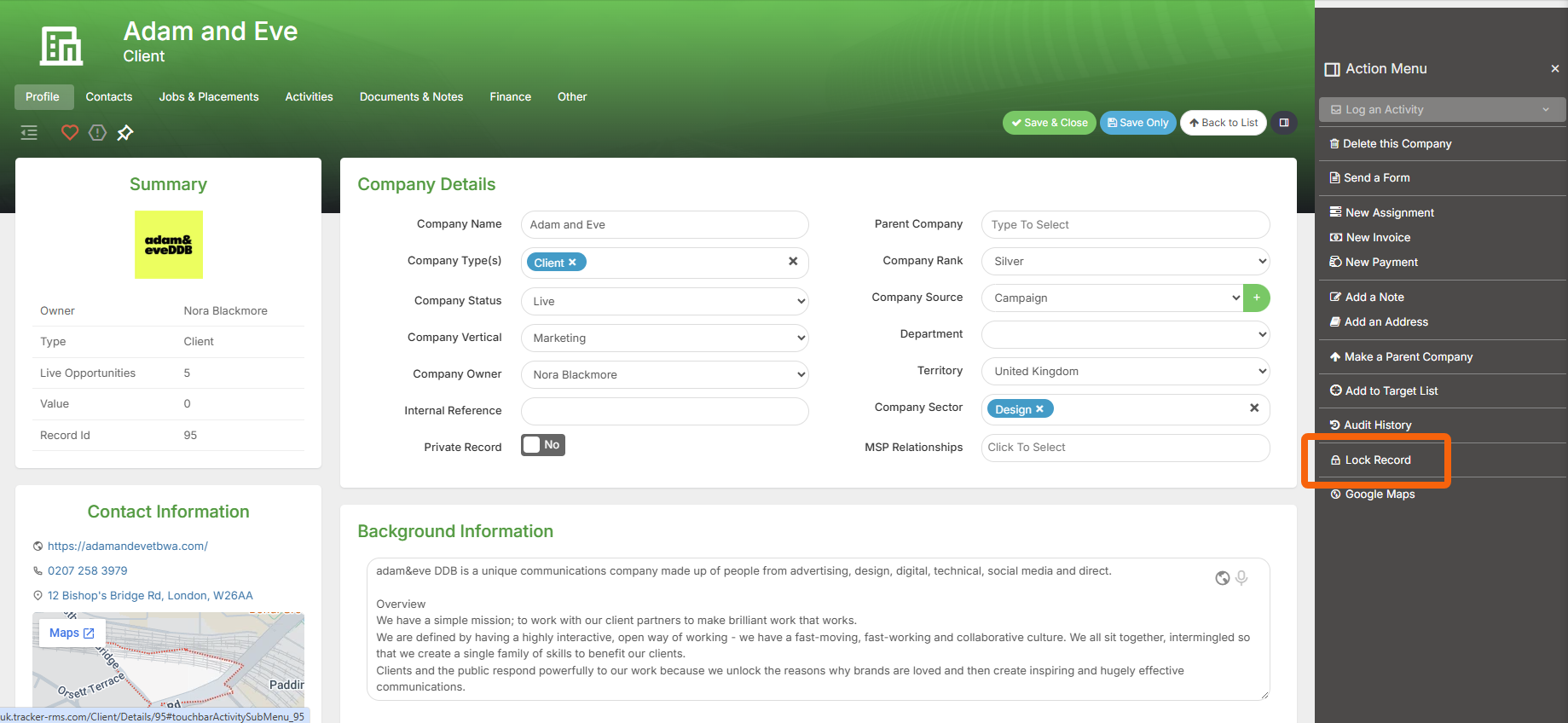
Lock Records
Protect a record while it’s under review
Lock any record with a reason, from the Action Menu, and control who can still open it. Projects linked to a placement lock automatically while it waits for approval, and unlock once it’s approved or rejected.
All users
Read in the Academy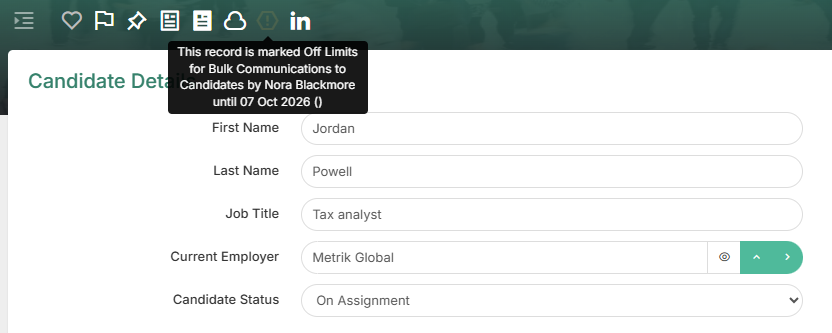
Off Limits Enhancements
Restrictions that are quicker to set and easier to see
End dates are now mandatory, and a new Edit Off Limits permission controls who can change them. Company restrictions carry through to candidates who work there, and an optional banner shows the type, end date, and reason on the candidate record.
All users
Read in the Academy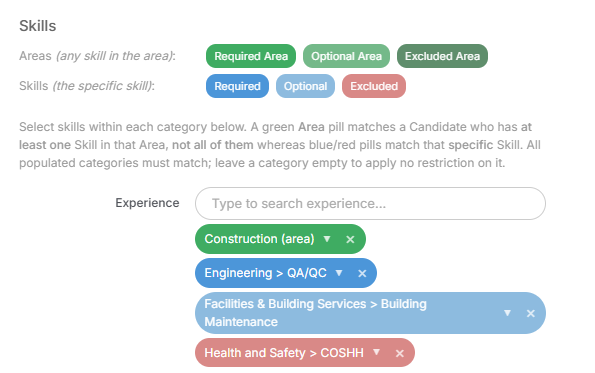
Skill-Area Pills
Search a whole skill area in one go
Longlist Advanced Search can now search a whole skill area as well as individual skills, each marked Required, Optional, or Excluded. Skills on the candidate record show as pills you can drag to group related ones together.
All users
Read in the Academy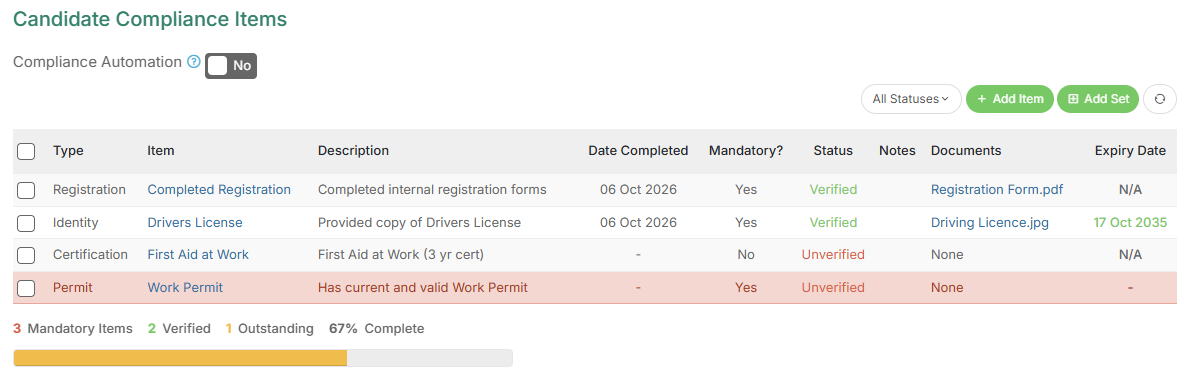
Candidate Compliance Progress
See how close a candidate is to compliant
A progress bar on the Candidate Compliance Items block shows the percentage of mandatory items complete, with counts for total, verified, and outstanding items.
Tracker Pro and Enterprise only
Read in the Academy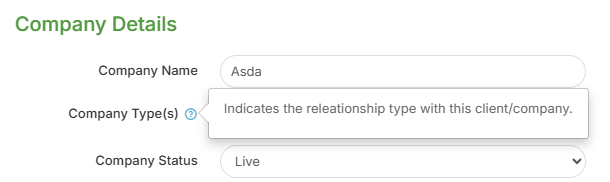
Field Context Help
Your own guidance, right beside the field
Admins can attach their own help text to specific fields. Users see a question-mark icon beside the label and click it for a short explanation, without leaving the record.
All Users
Read in the Academy